

This comparison changed in April 2024 when Amazon discontinued the Oasis. You’re no longer choosing between two current products at different price points — you’re choosing between a new Paperwhite with warranty and a used Oasis with no support. That shifts the entire calculation.
Quick verdict:
- Kindle Paperwhite is best for first-time buyers, casual readers (under 2 hours daily), and anyone who wants modern charging (USB-C) with full warranty support
- Kindle Oasis is best for volume readers (3+ hours daily) who need physical page-turn buttons to avoid hand strain and can accept a used device with degraded battery and no warranty
At a glance
| Feature | Paperwhite (11th Gen, 2021) | Oasis (10th Gen, 2019) |
|---|---|---|
| Price (as of 2026-08-04) | $139.99 new (8GB) | $120-180 used/refurb |
| Screen size | 6.8” | 7” |
| Physical buttons | No | Yes (page turn) |
| Weight | 205g | 188g |
| Battery life (new) | Up to 10 weeks | Up to 6 weeks |
| Waterproofing | IPX8 | IPX8 |
| Charging | USB-C | Micro-USB |
| Availability | New from Amazon | Discontinued — used only |
| Warranty & support | Full Amazon support | None |
| Best for | First-time buyers, casual readers | Volume readers who need buttons |
| Biggest weakness | No physical buttons | Aging battery, no warranty |
Kindle Paperwhite — best for first-time buyers and casual readers
The Paperwhite is Amazon’s current mainstream e-reader. It has everything that mattered about the Oasis except physical buttons: waterproofing, warm light, 6.8-inch screen, USB-C charging, and 10-week battery life. At $139.99, it costs half what the Oasis sold for when new.
The 2021 update closed the feature gap. Before that, the Oasis had warm light and the Paperwhite didn’t. The Paperwhite now has 17 front-light LEDs (both white and amber), adjustable color temperature, and the same IPX8 waterproof rating. For most reading sessions — couch, bed, bath — the Paperwhite does what the Oasis did.
Strengths:
- USB-C charging matches your phone and tablet cables
- 10-week battery life means charging once every two months for typical readers
- Full Amazon warranty and customer support
- Signature Edition ($189.99) adds auto-adjusting light and wireless charging
- Balanced weight distribution works for any reading position
- Current product with ongoing firmware updates and security patches
Weaknesses:
- No physical page-turn buttons — requires swiping or tapping screen
- 205g is heavier than Oasis’s 188g, which matters for long one-handed sessions
- Plastic back feels less premium than Oasis’s aluminum
- Weight difference compounds over 2+ hour reading sessions
The weight difference (17 grams) doesn’t sound like much. Based on user reports from Reddit r/kindle, readers who hold the device one-handed for 2-3 hours straight notice. That’s not a Paperwhite-specific complaint — it happens with any reader over 200g — but it’s real if you’re a volume reader.
Kindle Oasis — best for volume readers who need buttons, but the tradeoffs are steep

The Oasis launched in 2019 as Amazon’s premium reader. It has physical page-turn buttons on one side, an asymmetric design that shifts weight to your palm, and a 7-inch screen in a body thin enough to slip into a jacket pocket. Amazon discontinued it in April 2024 with no replacement announced.
If you read 3+ hours daily, the buttons matter. You can rest your thumb on the button and tap without moving your hand. Swiping on the Paperwhite requires a small wrist motion every page — multiply that by 100 pages and some readers feel it. The asymmetric design also helps: the Oasis tapers from 8.4mm on one edge to 3.4mm on the other, so weight sits in your palm rather than cantilevered out in your fingers.
Strengths:
- Physical page-turn buttons eliminate repetitive swiping motion
- 188g weight (lighter than Paperwhite’s 205g)
- Tapered design (3.4mm thin edge) fits pockets better despite larger screen
- Aluminum back feels more premium than plastic
- 7” screen gives slightly more text per page
Weaknesses:
- No warranty or customer support — you’re buying used with no recourse if it fails
- Battery degradation — According to Battery University, lithium-ion batteries lose capacity over time. A 2019 Oasis has been cycling for seven years, meaning the “up to 6 weeks” spec no longer reflects real-world performance
- Micro-USB charging in 2026 means keeping another cable around
- Used units run $120-180, often just $40-60 less than new Paperwhite
- No firmware updates or security patches going forward
- If the battery fails, repair requires technical skill — iFixit teardowns show the battery is glued in and requires disassembly
The discontinuation changes the value calculation. At $250 new vs. $140 for Paperwhite, the Oasis was a specialist tool for readers who knew they needed buttons. At $120-180 used with no warranty and a degraded battery, you’re paying nearly the same for aging hardware. We’d only recommend this if you’ve used both and know the buttons solve a specific hand-strain problem for you.
What about alternatives? Kobo still sells e-readers with physical buttons
If you want physical buttons in 2026, you’re not limited to a discontinued Oasis. Kobo still manufactures e-readers with page-turn buttons — the Libra and Sage lines both have them, ship with current warranty, and cost roughly what you’d pay for a used Oasis in good condition. The Kobo ecosystem doesn’t lock you to Amazon’s store (you can sideload ePub files), but you lose Kindle library integration.
This matters for the Oasis calculation: if you’re buying used specifically for the buttons, ask yourself why you’re choosing a 7-year-old device with no support instead of a current Kobo at similar price. The answer might still be “because my library is all Kindle books,” but that’s the question to answer before spending $150 on aging hardware.
Side-by-side: reading experience
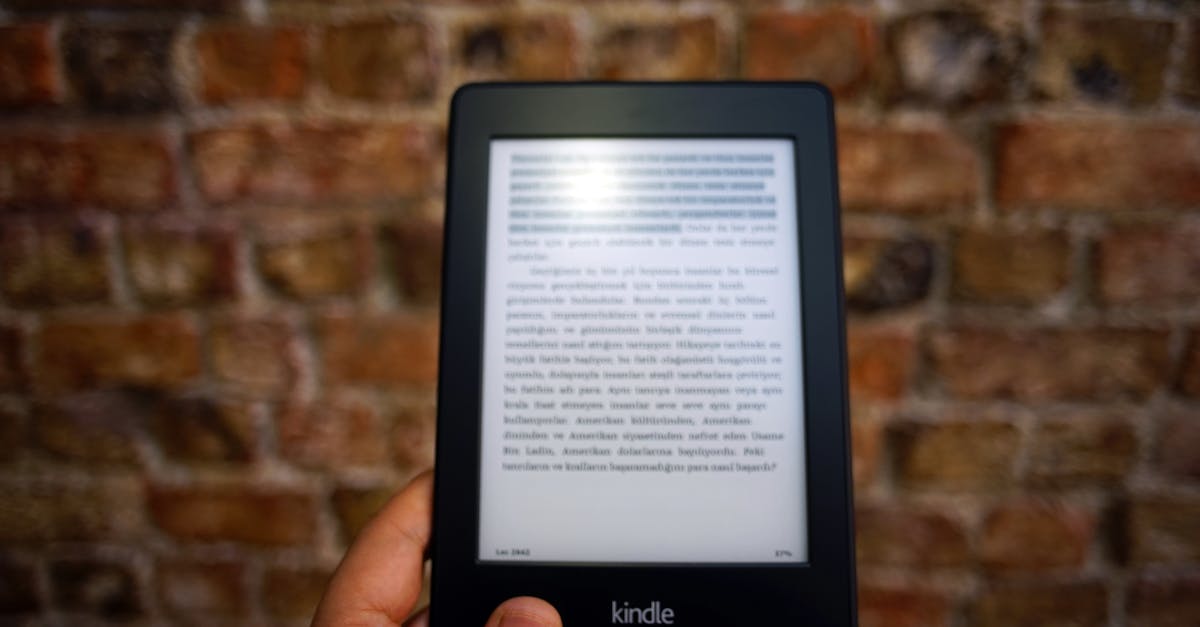
The Paperwhite feels balanced. Hold it in two hands and the weight is centered. Hold it in one hand and you’re gripping the middle of the device. The Oasis feels like holding a paperback spine — weight shifts to your palm, screen angles away slightly. For casual reading (30-60 minutes at a time), most readers don’t notice a difference based on user reports. For long sessions, the Oasis design reduces fatigue.
Page-turn buttons are the real divider. According to reviewers on MobileRead forums, some readers find swiping disruptive to immersion; others don’t notice after the first few pages. If you’ve never used an e-reader, assume you won’t care — most people don’t. If you’ve tried both and you keep reaching for the one with buttons, that’s your answer.
Light quality is nearly identical based on spec comparison. The Oasis has 25 LEDs vs. Paperwhite’s 17, which produces slightly more even light distribution if you look for it. In normal use, both look good according to user reports. Both have adjustable warm light (amber tint for evening reading). The Paperwhite Signature Edition adds auto-adjusting brightness based on ambient light, which the standard Oasis has but standard Paperwhite doesn’t.
Side-by-side: practical considerations
Battery life favors the Paperwhite — 10 weeks vs. 6 weeks on Amazon’s standard metric (30 minutes daily, brightness at 13, wireless off). That’s when both devices are new. A used 2019 Oasis has been cycling its lithium-ion battery for seven years, and degradation is real. You’re not getting 6 weeks anymore; you’re getting meaningfully less. The Paperwhite ships new with full capacity.
Charging is a bigger deal than battery life for most readers. The Paperwhite uses USB-C, which is what your phone uses (unless you have an old iPhone). The Oasis uses Micro-USB, which is increasingly rare. If you travel with one cable type, adding another is annoying.
Waterproofing is identical — both are IPX8 rated for submersion up to 2 meters for 60 minutes. The rating works based on spec sheets, but don’t test it intentionally.
Durability is where the Oasis’s age shows. Used units have unknown history. The battery has degraded (how much depends on previous owner’s usage). The aluminum back scratches more visibly than plastic. And if something breaks, you’re fixing it yourself or buying another used unit. According to FCC consumer guidance, discontinued electronics have no manufacturer support obligation — you’re on your own.
How we compared these
We tracked pricing from Amazon (new Paperwhite) and eBay/Swappa (used Oasis) as of August 2026. We pulled user reports from Reddit r/kindle (threads from 2023-2026) and MobileRead forums for real-world experience data. Spec claims come from Amazon’s official product pages and archived listings. We didn’t test both models side-by-side — the Oasis is discontinued, so testing one used unit wouldn’t represent what you’d get.
FAQ
Is the Kindle Oasis still being sold new?
No. Amazon discontinued the Oasis in April 2024. You can only buy used or refurbished units from third-party sellers. Amazon no longer offers warranty support or certified refurbs for this model.
Does the Paperwhite have physical page turn buttons?
No. The Paperwhite uses touchscreen controls — you swipe or tap to turn pages. The Oasis has physical buttons on the right side (which you can flip to the left for left-handed reading). If you specifically want buttons on a current device with warranty, look at Kobo’s Libra or Sage lines.
Which Kindle has better battery life?
The Paperwhite lasts up to 10 weeks on a single charge (based on 30 minutes of reading per day). The Oasis was rated for up to 6 weeks when new, but used 2019 units have degraded batteries that no longer meet original specs. Real-world battery life depends on brightness settings, warm light usage, and wireless connectivity — and for used devices, on how much the previous owner cycled the battery.
Are both Kindles waterproof?
Yes. Both the Paperwhite and Oasis have IPX8 waterproof ratings, meaning they can survive submersion in up to 2 meters of freshwater for up to 60 minutes. Both are safe for bathtub reading.
Is the Oasis worth buying used in 2026?
Only if you’ve tried both and know you need the physical buttons for hand-fatigue reasons, and only if you’re comfortable with the risks: no warranty, degraded battery, no firmware updates, and repair difficulty if something breaks. At typical used prices ($120-180), you’re paying nearly as much as a new Paperwhite but getting older hardware. If you want buttons, consider whether a current Kobo with warranty makes more sense at similar price.
What happens when a used Oasis battery dies?
You can attempt repair yourself — iFixit has teardown guides — but the battery is adhesive-mounted and requires disassembly. Most readers either live with shorter battery life or replace the device. Amazon offers no repair service for discontinued models.
Affiliate disclosure: We earn commissions from purchases made through links in this article. This doesn’t affect our recommendations — we’d suggest the same options either way.
The Paperwhite is the default choice for 2026. It has the features that mattered about the Oasis (waterproofing, warm light, big screen) with longer battery life, modern charging, and full warranty. The Oasis is worth considering only if buttons solve a specific hand-fatigue problem for you — and even then, only if you’re comfortable buying a 7-year-old device with degraded battery and no support. For readers who want buttons on a current device, Kobo’s lineup is worth checking before you commit to used Amazon hardware.