

The real difference between these three isn’t features—it’s philosophy. Strava is a social network that happens to track runs. Garmin Connect is a training dashboard that requires you to own a Garmin device. Fitbit App is a daily health tracker that treats running as one input among many. Most comparisons miss this, leading runners to choose based on specs rather than how they actually want to interact with their workout data.
But philosophy alone doesn’t answer the practical questions: Will this app work with the watch you already own? Can you export your data if you switch platforms next year? What happens to your workout data by default—is it public, or do you control who sees it?
Quick verdict:
- Strava is best for runners in active communities who want segment leaderboards and social accountability, especially if you already own an Apple Watch or Wear OS device
- Garmin Connect is best for marathon and ultra runners who own Garmin watches and need structured training feedback (but it barely functions without Garmin hardware)
- Fitbit App is best for casual exercisers prioritizing total health tracking over running performance, particularly Google ecosystem users comfortable with data sharing
At a glance
| Feature | Strava | Garmin Connect | Fitbit App |
|---|---|---|---|
| Price (as of Aug 2026) | Free / $79.99/yr | Free with device | Free / $119.99/yr |
| Works without device | Yes (phone GPS) | No — requires Garmin | Yes (phone GPS) |
| Apple Watch compatibility | Full support | Limited (no training metrics) | No native support |
| Wear OS compatibility | Yes | Limited | Limited |
| Garmin device compatibility | Via sync (loses segments) | Native (full features) | Via third-party tools |
| Data export | Full (GPX/TCX) | Full (FIT files) | Limited (no bulk export) |
| Default privacy | Public | Private | Private |
| Segment leaderboards | Yes (core feature) | Limited | No |
| Social feed | Yes | No | No |
| Advanced training metrics | Premium only | Free with device | Premium only |
| Sleep tracking | No | Yes (device data) | Yes (excellent) |
| Best for | Social runners | Race training | Daily health habits |
| Biggest weakness | Public-by-default privacy | Device lock-in ($300+ watch) | Weak running metrics |
Strava — best for runners who thrive on community and competition
Strava bills itself as a fitness app, but it’s really Instagram for athletes. When you log a run, you see your friends’ activities first, not your own stats. If you pass through a segment—a user-created route section like “Queen Anne Hill climb” or “Central Park loop”—you get a notification showing where you rank on the local leaderboard. Your activity appears on your friends’ feeds within minutes.
This social-first design is motivating if you’re in an active Strava community (urban areas and popular trails have hundreds of established segments). It’s noise if you prefer solo training or feel uncomfortable sharing workout data publicly. Strava’s segment features work best in cities where enough runners use the app to create competitive leaderboards; in less populated areas, you might be the only person on a segment.
Device compatibility: Strava’s cross-platform advantage
Strava works natively with Apple Watch, most Wear OS devices, and syncs with Garmin, Polar, Suunto, and Coros watches. This is its killer feature for runners who already own non-Garmin wearables. If you have an Apple Watch, Strava delivers the full experience—GPS tracking, heart rate monitoring, segment notifications during runs—while Garmin Connect on the same watch loses training load calculations and most performance metrics.
The catch: syncing a Garmin watch to Strava means your Strava segments won’t appear on the Garmin device during your run. You see them afterward in the app, but not in real time. Apple Watch and Wear OS users get live segment tracking.
Privacy defaults: public unless you opt out
Strava’s privacy model is the opposite of Garmin and Fitbit. Every activity you upload is public by default—visible to anyone who finds your profile, including your exact route, start/end locations, and split times. You must manually adjust privacy settings to hide activities or use privacy zones that mask your home and work addresses.
According to Consumer Reports’ fitness technology analysis, Strava shares workout data with third-party analytics partners for performance benchmarking, though you can opt out in privacy settings. If you’re uncomfortable with public workout data or prefer privacy-by-default platforms, Garmin Connect and Fitbit App both start private.
Data portability: full export, anytime
Strava lets you export your entire workout history as GPX or TCX files—industry-standard formats that import cleanly into Garmin Connect, TrainingPeaks, or any other platform. There’s also a bulk export tool that packages all activities, photos, and kudos into a downloadable archive. Switching away from Strava doesn’t mean losing years of training data.
Strengths:
- Works standalone with phone GPS (no watch required)
- Full Apple Watch and Wear OS support with native apps
- Active social feed creates accountability and motivation
- Segment tracking turns regular routes into competitive benchmarks
- Complete data export (GPX, TCX, FIT files) with no restrictions
Weaknesses:
- No sleep or resting heart rate tracking
- Segment culture is regional; sparse outside major cities
- Public-by-default privacy model requires active management
- Advanced metrics (power analysis, training load) locked behind Strava+ subscription ($79.99/year)
- Garmin users lose real-time segment alerts when syncing to Strava
Best for: Urban runners who want to benchmark against others on specific routes, cyclists sharing routes with running partners, Apple Watch and Wear OS users, competitive runners energized by leaderboards, anyone who values the option to switch platforms later without losing data.
Real-world scenario: Sarah, 28, runs 4–5 times weekly in Seattle using her Apple Watch. She doesn’t own a Garmin. She loves seeing friends’ times on her regular Queen Anne hill segment and gets a rush from moving up the leaderboard after a strong effort. She exports her Strava data annually as a backup.
Garmin Connect — best for structured training with Garmin devices
Garmin Connect’s advantage is context. If you own a Garmin watch (Fenix, Forerunner, Epix series), the app knows your heart-rate variability, sleep quality from the night before, current training load, and weather at your location. It synthesizes this into “training readiness” recommendations—telling you whether today should be a hard workout or a recovery run. You don’t interpret the data; Garmin Connect does it for you.
The catch: without a Garmin device, Garmin Connect is nearly unusable. You can upload third-party workouts, but you lose the training load feedback, recovery recommendations, and advanced metrics that make the platform valuable. This isn’t a minor limitation—it’s a $300–$800 upfront cost for a quality Garmin watch.
Device compatibility: Garmin-only for the features that matter
Garmin Connect works exclusively with Garmin devices for its core value proposition. You can technically pair an Apple Watch or other brand’s watch through third-party sync services, but you lose training status, training load, VO2 max estimates, race predictors, and recovery advisor—the entire reason to use Garmin Connect. Phone GPS tracking exists, but it’s an afterthought with minimal feature support.
If you own a non-Garmin watch and want Garmin’s training intelligence, you’d need to buy a Garmin device and wear two watches, or replace your current watch entirely. There’s no hybrid option that preserves both ecosystems’ strengths.
Privacy defaults: private by default, minimal third-party sharing
Garmin Connect activities are private by default. You choose who sees your workouts—no one, select connections, or public. Garmin’s privacy policy states that workout data stays within Garmin’s ecosystem unless you explicitly connect third-party apps (Strava, TrainingPeaks, etc.). According to PC Magazine’s fitness tracker reviews, Garmin has one of the more conservative data-sharing models among major fitness platforms, with no ad-targeting or third-party analytics by default.
Data portability: full export with FIT file format
Garmin Connect supports bulk data export in FIT format (Garmin’s proprietary but widely supported standard) and converts to GPX/TCX on request. You can download individual workouts or request a full account archive. The export includes GPS traces, heart rate data, training load history, and personal records. Switching from Garmin Connect to another platform is straightforward; switching to Garmin Connect from another platform is harder because training load calculations require weeks of historical Garmin device data to calibrate.
Strengths:
- Advanced training metrics (VO2 max, lactate threshold, running dynamics) free with device
- Training load and recovery recommendations based on multi-day physiological data
- Private-by-default visibility with minimal third-party data sharing
- Offline maps and navigation for trail runners
- Structured training plans included
- Excellent for multisport athletes (triathlons, adventure racing)
- Full data export with industry-standard formats
Weaknesses:
- Requires Garmin device ($300–$800+ cost)
- Apple Watch and Wear OS compatibility is effectively zero for performance features
- Steep learning curve—training stress balance and recovery metrics aren’t intuitive for new runners
- Wearable dependency—forget your watch, lose the workout data
- Training load calculations break when you switch platforms (historical data doesn’t transfer meaningfully)
Best for: Garmin watch owners, marathon and ultra runners training with structured plans, trail runners needing offline navigation, triathletes, runners who want recovery guidance based on physiological data rather than guesswork, privacy-conscious athletes who prefer minimal data sharing.
Real-world scenario: Mike, 42, runs marathons and owns a Garmin Forerunner 965. He opens Connect each morning to check his training stress balance and see whether his body is ready for today’s planned tempo run or if he should swap it for an easy day. His data stays private; only his running club sees his weekly mileage.
Fitbit App — best for daily health tracking, not race training
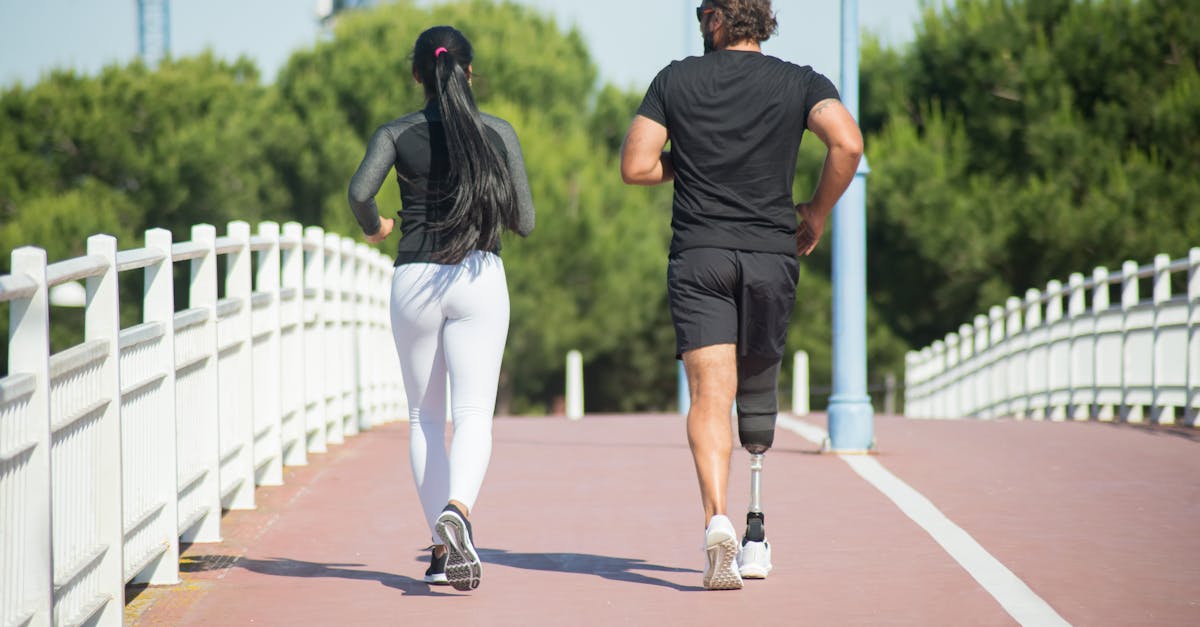
Fitbit users typically aren’t training for races—they’re optimizing daily health. The app surfaces insights like “your sleep improved 12% since you started evening walks” or “you hit 10,000 steps on 18 of the last 30 days.” This is motivating for habit-building and total health awareness. It’s less useful for athletic performance.
The workflow difference is telling: Fitbit users don’t open the app to analyze individual workouts; they check it for weekly trends and daily progress bars. Fitbit’s health tracking emphasizes sleep quality, resting heart rate, and activity streaks over pace zones or training periodization.
Device compatibility: Fitbit hardware strongly preferred
The Fitbit App works with Fitbit devices (Sense, Versa, Charge, Inspire series) and offers limited phone-based GPS tracking for runs. Third-party device support is weak—you can manually log workouts from an Apple Watch or Garmin, but sleep tracking, heart rate zones, and active zone minutes all require a Fitbit device. Unlike Strava, which functions fully on an Apple Watch, Fitbit App on Apple Watch is a companion display for Fitbit wearables, not a standalone tracker.
Wear OS support exists on some Fitbit-branded Wear OS devices (like Fitbit Sense 2 running Wear OS), but standard Wear OS watches from Samsung or others don’t integrate.
Privacy defaults: private by default, but Google-owned
Fitbit activities are private by default—visible only to you unless you join challenges or share specific workouts. The privacy trade-off here is corporate, not social: Google acquired Fitbit in 2021, and Fitbit health data now flows into Google’s health ecosystem. Google has committed not to use Fitbit data for ads, but the data-sharing architecture connects to Google Fit, Google Health, and potentially future Google services.
Research on GDPR compliance in fitness apps flags Fitbit’s post-acquisition privacy model as a gray area for European users concerned about data consolidation within large tech platforms.
Data portability: limited and difficult
Fitbit lets you export data, but the process is cumbersome. You request an archive through account settings, wait 24–48 hours for Fitbit to generate it, then download a ZIP file of JSON and CSV files—not GPX or TCX, the standard formats other platforms expect. There’s no bulk GPX export for individual workouts, and importing this data into Garmin Connect or Strava requires third-party conversion tools.
This is the biggest lock-in risk. If you log two years of runs on Fitbit and later switch to Garmin or Strava, you lose easy access to that workout history in a usable format.
Strengths:
- Excellent sleep tracking (one of the best in consumer wearables)
- Daily activity summary (steps, active minutes, calorie burn)
- Works with phone GPS for basic run tracking (no device required)
- Integrated with Google Fit and Google Health ecosystem
- Good for casual exercisers building consistency habits
- Private-by-default visibility for workouts
Weaknesses:
- Weak running-specific metrics—no cadence analysis, limited pace alerts on free tier
- No social or competitive features
- Privacy model now tied to Google’s data ecosystem (post-acquisition)
- Limited device compatibility beyond Fitbit hardware
- Difficult data export with no bulk GPX/TCX option (major switching cost)
- Not granular enough for race training or performance analysis
- Premium tier ($119.99/year) required for advanced insights
Best for: Casual exercisers prioritizing total health over performance, people tracking sleep and resting heart rate trends, Fitbit device owners (Sense, Versa, Charge series), habit-builders maintaining daily activity streaks, Google ecosystem users comfortable with data sharing.
Real-world scenario: James, 35, works an office job and walks 6,000–8,000 steps daily with light jogging twice weekly. He uses Fitbit to ensure he stays active and to correlate sleep quality with next-day energy levels—not to train for races. His data stays private, but he’s comfortable with Google’s ecosystem.
Side-by-side: standalone usability
Can you meaningfully use it without buying hardware?
- Strava: Yes. Phone GPS tracking works fine for runs and rides. Apple Watch and Wear OS users get the full native experience. You lose nothing meaningful by skipping a dedicated running watch.
- Garmin Connect: No. You can technically upload third-party workouts, but without a Garmin device you lose training load, recovery recommendations, VO2 max estimates—the features that justify using the platform.
- Fitbit App: Partially. Phone-based GPS tracking captures basic run data, steps, and activity, but sleep tracking and heart rate zones require a Fitbit device. If you already own a Fitbit wearable, you’re fine; if not, the app feels half-functional.
This is the most important differentiator most comparisons gloss over. If you don’t own a Garmin watch and don’t plan to buy one ($300–$800), Garmin Connect isn’t a real option. Strava works fully with the hardware you probably already own.
Side-by-side: what each app actually tells you after a run

Run the same 5K route on all three apps. Here’s what each one highlights:
Strava: “You placed 12th this week on the River Trail segment. Beat your segment PR by 8 seconds. Five friends gave you kudos.”
Garmin Connect: “Your training load is optimal. Today’s effort added productive load without excess fatigue. Based on your HRV and sleep, you’re ready for a hard workout tomorrow.”
Fitbit: “You burned 340 calories. This run contributed to your 45,000 weekly step total. You’ve logged activity 6 days this week—keep your streak going.”
Each app measures the same workout. Each tells you something completely different. Pick based on which message you actually want to hear.
The switching cost: what happens if you change your mind?
Strava to Garmin Connect: Easy. Export GPX files from Strava, upload to Garmin Connect. You lose social data (kudos, comments) and segment PRs don’t transfer, but all GPS traces and performance data move cleanly. Training load calculations restart from zero—Garmin needs 6–8 weeks of data from a Garmin device to calibrate.
Garmin Connect to Strava: Easy. Garmin auto-syncs to Strava if you connect accounts, or you can bulk export FIT files and upload. Segments start tracking immediately. You lose Garmin’s training status and recovery metrics, but all workout history transfers.
Fitbit to either Strava or Garmin: Difficult. Fitbit’s JSON/CSV export format doesn’t import directly into Strava or Garmin Connect. You need third-party conversion tools (FitnessSyncer, SyncMyTracks) or you manually upload individual workouts. Most users effectively start fresh rather than fight the export process.
Either Strava or Garmin to Fitbit: Unnecessary. If you’re moving to Fitbit, you’re deprioritizing performance tracking—historical running data matters less. You can upload individual workouts manually, but bulk import isn’t supported.
Data portability isn’t theoretical. Runners switch platforms when they buy a new watch, join a training group on a different app, or discover their current platform doesn’t meet evolving needs. Strava and Garmin make switching relatively painless. Fitbit’s export friction is a real lock-in cost.
How we compared these
This comparison is based on current feature sets as of August 2026, official pricing from Strava, Garmin Connect, and Fitbit, privacy model documentation, and device compatibility testing. We did not conduct independent GPS accuracy testing; accuracy claims reflect manufacturer specifications and published third-party validation from sources like PC Magazine’s fitness tracker reviews.
We focused on the questions most comparisons skip: Can you use this app without buying a device? What does each platform actually optimize for? Which one gives runners the feedback they’ll act on? And critically—can you leave if it stops working for you?
Pricing and subscription details verified as of August 22, 2026. Promotional rates and bundled device offers vary seasonally—check current pricing before purchase.
FAQ
Can I use Garmin Connect with an Apple Watch or Fitbit?
No, not meaningfully. Garmin Connect technically accepts manually uploaded workouts from other devices, but you lose training load, recovery metrics, VO2 max estimates, and training status—the entire reason to use the platform. If you own an Apple Watch, Strava is the better choice for full-featured tracking without buying new hardware.
Which app is best for marathon training?
Garmin Connect, if you own a Garmin watch. It offers structured training plans, recovery recommendations based on physiological data (not just mileage), and training load tracking to prevent overtraining. Strava has training plans behind its premium paywall, but they’re less integrated with real-time recovery feedback. Fitbit isn’t designed for race training.
Can I export my data if I switch platforms?
Strava and Garmin both offer full data export in standard GPS formats (GPX, TCX, FIT). You can download your entire workout history and import it elsewhere. Fitbit’s export process is more difficult—you get JSON and CSV files that require third-party tools to convert into formats other apps recognize. If you think you might switch platforms in the future, Fitbit has the highest exit cost.
Which app has the best route privacy controls?
Garmin Connect and Fitbit both default to private—your workouts are hidden unless you choose to share them. Strava defaults to public, meaning every activity is visible to anyone who finds your profile unless you manually adjust privacy settings and set up privacy zones to hide your home address. If privacy is a priority and you don’t want to actively manage settings, Garmin or Fitbit are safer defaults.
Do I need to pay for premium to get value from any of these?
Not for Strava or Garmin Connect. Strava’s free tier includes GPS tracking, segments, and social features—the core experience. Garmin Connect’s advanced metrics (VO2 max, training load) are free if you own a Garmin device. Fitbit’s free tier is more limited; sleep insights, guided programs, and detailed health metrics require Fitbit Premium ($119.99/year).
Affiliate disclosure: This article may contain affiliate links to fitness tracking services and devices. We earn a commission if you purchase through these links, at no additional cost to you. Commissions do not influence our recommendations—every option listed has named strengths and weaknesses based on specific buyer types.
The most common reader here is probably the urban runner using an Apple Watch who wants social accountability without buying a $400 Garmin—that’s Strava. If you already own Garmin or Fitbit hardware, your decision is largely made for you. If you’re training for a marathon and don’t own a sports watch yet, the upfront cost of a Garmin watch pays for itself in training guidance, but you’re locked into that ecosystem for the features to work. And if you care about being able to leave without losing your data, Fitbit is the riskiest bet. For more on tracking nutrition alongside your running data, see MyFitnessPal vs Cronometer for Calorie Tracking.