

A robot vacuum isn’t just a $300–$1,000 upfront purchase — it’s an 8–10 year commitment to a specific smart home ecosystem, a recurring parts budget, and a decision about which rooms in your house will actually stay clean. The choice gets more complex once you own one: you discover which models actually navigate your furniture layout without getting stuck, which ecosystems you’re locked into, and what you’ll spend on brushes and filters by 2031.
This comparison focuses on what matters after the first six months: which vacuums sustain reliable navigation over time, what ecosystem lock-in actually costs you, and which models justify their premium pricing through reduced maintenance burden or smarter integration. I’m comparing five current models that represent different trade-offs — pet-focused AI, budget reliability, premium suction, smart home integration, and wet-dry capability — across the specs that actually predict long-term satisfaction.
Affiliate disclosure: Comparisony earns commissions from retail partners featured in this comparison. This does not influence our model selection or recommendations — each product is evaluated on its own merits and trade-offs. You’ll find each model’s strengths and significant downsides below.
At-a-Glance Comparison
| Model | Price | Suction (Pa) | Battery | Mapping | Best Ecosystem | Self-Empty | 5-Yr Parts Cost |
|---|---|---|---|---|---|---|---|
| iRobot Roomba j7+ | $799 | 1,300 | 120 min | vSLAM + camera | Google, Alexa, Apple | Yes | ~$400 |
| Shark IQ | $349 | 1,200 | 90 min | LIDAR | Google, Alexa (basic) | No | ~$250 |
| Dyson 360 Eye | $750 | 1,500 | 75 min | LIDAR | Alexa only | No | ~$500 |
| Samsung Jet Bot AI+ | $1,099 | 2,000 | 100 min | LIDAR + AI | SmartThings primary | Yes | ~$350 |
| Tineco Floor One S3 | $599 | 1,400 | 90 min | LIDAR | Google, Alexa | No | ~$600 |
Prices verified October 2026; street prices often run lower during holiday sales.
1. iRobot Roomba j7+ — Best for Pet Owners in Multi-Room Homes
The Roomba j7+ is the only vacuum in this group that uses AI-powered obstacle detection specifically trained on pet messes — it recognizes toys, cables, and (critically) pet waste, then routes around them instead of smearing the problem across your floor. This capability makes the difference between a vacuum you can run while at work versus one requiring supervision. The vSLAM mapping takes 3–4 cleaning cycles to learn your layout (LIDAR vacuums map in 1–2 passes), but once it does, it handles cluttered rooms better than earlier-generation vacuum models.
The self-emptying base holds 60 days of debris, and iRobot’s dual-brush system (rubber extractors, not bristles) genuinely resists tangling — environments with significant long hair typically require weekly brush maintenance with traditional designs; the Roomba extends this to monthly cleaning intervals. According to iRobot’s official specifications, brush replacements run $25–$60 per unit, and over a five-year ownership period, you’re looking at around $400 in consumables (brushes, filters, bags for the base).
Noise-wise, the Roomba j7+ runs quieter than older Roomba models but still produces noticeable sound during operation — plan to run it when you’re out or in a different part of the house if you’re sensitive to background noise.
Best for: Homes with two or more pets, mixed hard floors and carpet, existing Google Home or Alexa ecosystem. If you value “set it and forget it” reliability and your household has unpredictable floor obstacles (kids’ toys, pet bowls), the Roomba’s AI avoidance justifies the premium.
Downside: The $799 MSRP is steep for mid-range suction power (1,300 Pa — the Samsung and Dyson both exceed 1,400 Pa). And the optional mopping attachment is basic; if you need serious wet cleaning, look at the Tineco instead.
2. Shark IQ — Best for Budget-Conscious, Low-Maintenance Homes
The Shark IQ delivers the best price-to-suction ratio in this comparison: 1,200 Pa for a street price that frequently drops below $350 during sales (certified refurbs reach $199). It uses LIDAR mapping, so it learns your floor plan in one or two runs, and the simple mechanical design means fewer failure points — no AI cameras to miscalibrate, no self-emptying dock mechanism to jam.
Where the Shark shows its budget is in smart home integration (basic Alexa and Google support, no advanced automations) and dust bin capacity (smaller than the Roomba’s, so you’ll empty it 2–3 times per week in a 1,500-square-foot home). The Shark IQ performs well on hard floors and low-pile carpet but shows limitations with deep-pile carpet and pet hair matted into corners — it handles typical daily debris effectively, though you may need to spot-clean high-traffic areas manually.
Over five years, replacement brushes and filters run about $250 total (lowest in this group), and Shark’s one-year warranty is standard. However, support responsiveness lags competitors based on user reports across retailer review sections and FTC consumer complaint data.
Best for: Single-level apartments or condos under 1,200 square feet, hard floors or low-pile carpet, light pet shedding, budget under $400, and households that don’t need cutting-edge app features.
Downside: No self-emptying (you’re committed to manual bin checks), no mopping function, and no multi-floor map storage — if you have a two-story home, you’ll need to manually move it and let it remap each floor. Noise levels are noticeable; you’ll want to run this when you’re not on phone calls.
3. Dyson 360 Eye — Best for Design-Conscious Buyers with Small Homes

The Dyson 360 Eye justifies its $750 price tag with 1,500 Pa suction (highest in the non-Samsung group) and genuinely quieter operation on hard floors — independent testing by organizations like Consumer Reports and Which? consistently rates Dyson models among the quieter options in the robot vacuum category, which matters if you’re running it while working from home. Dyson’s brand equity also means strong resale value; two-year-old units hold their value better than most competitors on secondhand markets.
The deal-breaker for many buyers: Alexa-only integration. If your home runs on Google Assistant or you’re invested in Apple HomeKit, the 360 Eye won’t play nicely with your existing routines. Unlike the Roomba or Samsung, there’s no self-emptying dock option — you’re manually emptying the bin every 3–4 runs, which undermines the “set it and forget it” appeal of a robot vacuum.
The 360 Eye’s 75-minute battery life covers about 1,000–1,200 square feet per charge, as noted in Wirecutter’s robot vacuum testing. For a studio or one-bedroom apartment, that’s sufficient; for a 2,000-square-foot house, it’ll need to recharge mid-job, extending total cleaning time to 90+ minutes.
Five-year parts cost runs highest in this group at ~$500 (Dyson’s filters and brushes carry premium pricing), and the two-year warranty exceeds most competitors. However, user reports and complaint databases indicate higher-than-average frustration with mapping errors in the first year of ownership.
Best for: 1BR/studio apartments under 1,200 square feet, hard floors or low-pile carpet, Alexa-first households, design-conscious buyers willing to pay for the Dyson name, no pets.
Downside: Alexa-only ecosystem (no Google, no SmartThings), no self-emptying, highest parts cost over time, and limited battery range makes it impractical for homes over 1,500 square feet.
4. Samsung Jet Bot AI+ — Best for SmartThings Power Users
The Samsung Jet Bot AI+ has the highest suction in this comparison (2,000 Pa) and the tightest SmartThings integration available — if you’ve already committed to Samsung’s smart home ecosystem (SmartThings hub, Family Hub fridge, Samsung TVs), this vacuum slots into automations that competitors cannot match. SmartThings integration enables automations like triggering cleanings when motion sensors detect an empty home, with status updates sent directly to mobile devices.
The AI object recognition (similar to Roomba’s) successfully avoids pet toys and charging cables, and the self-emptying dock holds about 60 days of debris. But here’s the lock-in cost: while the Jet Bot technically supports Alexa and Google, those integrations are limited to basic commands (start, stop, dock). The advanced features — multi-floor map storage, zone-specific cleaning schedules, integration with other Samsung appliances — only work through SmartThings.
At $1,099 MSRP (street price $899–$999), you’re paying a $300–$400 premium over the Roomba j7+ for features that only matter if you’re already invested in Samsung’s ecosystem. If you’re not, that premium buys you suction power you may not need (2,000 Pa is overkill for most hard floors) and a bulkier self-emptying dock that takes up more floor space than iRobot’s.
The Samsung handles floor transitions (hardwood to carpet, tile to rug) more smoothly than budget models, and the high suction makes it effective on high-pile carpet where lower-powered vacuums struggle.
Best for: Existing SmartThings users, multi-floor homes that need stored floor maps, buyers who want the highest suction available, homes with varied flooring including high-pile carpet, and households willing to invest $1,000+ for long-term ecosystem integration.
Downside: Highest price in this comparison, SmartThings dependency (advanced features don’t work with other ecosystems), self-emptying dock is space-intensive (measures 16” × 14” × 12”), and the premium only makes sense if you’ll actually use the Samsung-specific automations. Noise levels during high-suction mode are among the loudest in this group.
5. Tineco Floor One S3 — Best for Hard-Floor Homes That Need Mopping
The Tineco Floor One S3 is the only true wet-dry vacuum in this group — it vacuums and mops in a single pass, which solves two problems if you have a kitchen-heavy home with tile, hardwood, or laminate floors. Kitchen spills (flour, splattered sauce, sticky spots) require both dry debris pickup and wet cleaning, something none of the vacuum-only models can accomplish in a single operation.
The trade-off: significantly higher maintenance. You’ll need to refill the clean water tank, empty the dirty water tank, rinse the roller brush, and dry the filter after every 2–3 uses — roughly 10–15 minutes of hands-on work per week. That’s substantially more involvement than the “empty the dust bin once a month” simplicity of self-emptying models. Over five years, replacement filters, brushes, and rollers run about $600 — highest in this comparison — because you’re maintaining both vacuum and mop systems.
The Tineco’s LIDAR mapping is reliable, and it integrates with Google and Alexa for basic commands, but it’s bulkier (heavier, taller) than vacuum-only models, so it won’t fit under low-clearance furniture. Battery life is 90 minutes, sufficient for 1,200–1,500 square feet, but wet-dry operation drains the battery faster than dry-only vacuuming.
Performance on carpet is limited — this is fundamentally a hard-floor machine. If more than half your home is carpeted, choose a vacuum-only model instead.
Best for: Hard-floor homes (tile, hardwood, laminate) where you currently vacuum and mop separately, households willing to spend 10–15 minutes per week on tank maintenance, kitchens with frequent spills, and buyers who’ll actually use the mop function regularly.
Downside: Highest maintenance burden (water tanks, roller drying), highest five-year parts cost (~$600), heavier and bulkier design (won’t fit under furniture under 4” clearance), limited effectiveness on carpet, and the $599 price only makes sense if you’ll use both vacuum and mop functions weekly.
The Ecosystem Lock-In Nobody Talks About
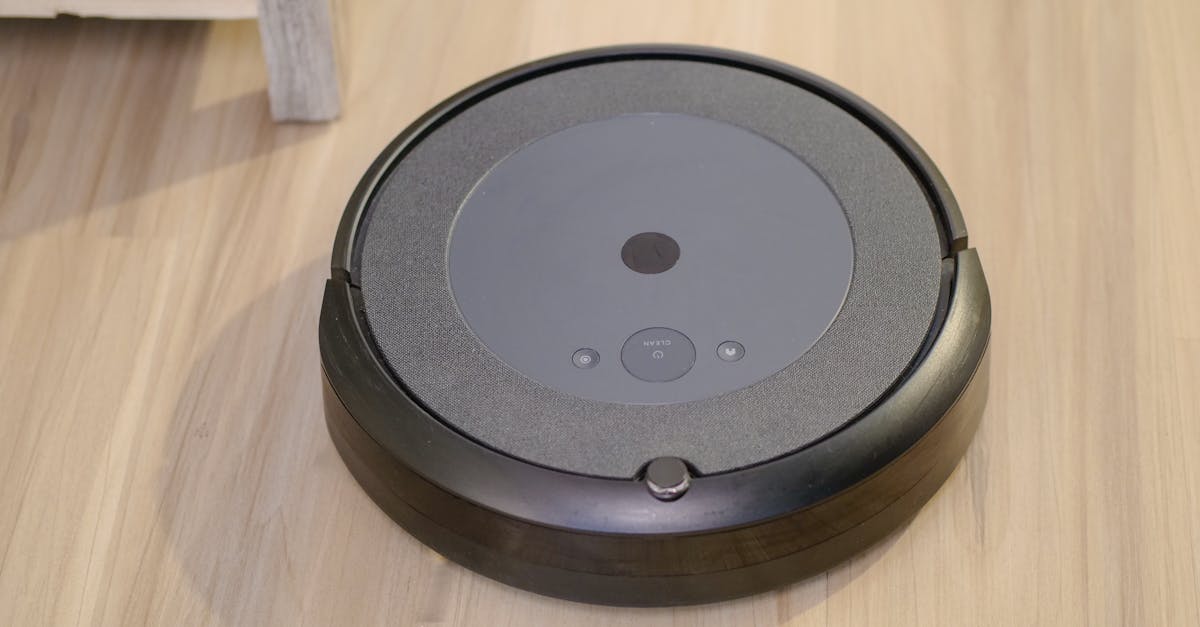
Choosing a robot vacuum is choosing which smart home ecosystem you’ll commit to for the next decade. Here’s what that actually means:
Google/Alexa (Roomba j7+, Shark IQ, Tineco): These vacuums work with the two most common voice assistants and support cross-platform automations (e.g., “when I leave home, start vacuuming”). If you switch from Google to Alexa in three years, your vacuum still works.
Alexa-only (Dyson 360 Eye): You’re locked into Amazon’s ecosystem. If you later add Google Nest devices or switch to Apple HomeKit, your vacuum won’t integrate — you’ll control it through a separate app, breaking the unified smart home experience.
SmartThings-primary (Samsung Jet Bot AI+): Advanced features (multi-floor maps, appliance integration, detailed scheduling) only work through Samsung SmartThings. Basic Alexa/Google support exists, but you’re effectively committed to Samsung’s platform or you’ll lose the features that justify the $1,099 price.
A common ecosystem switch scenario: when moving from Alexa to Google Home for newer devices (like Nest thermostats), Alexa-only robot vacuums become isolated from automations and require control through standalone apps, negating the ecosystem benefits that justified the original purchase. Don’t make that mistake — map your vacuum choice to the ecosystem you’ll still be using in 2031, or choose a cross-platform model like the Roomba.
Real Ownership Cost Over Five Years
MSRP is only the down payment. Here’s what each vacuum actually costs over five years, including parts:
| Model | MSRP | Brushes (6-mo replacement) | Filters (3-mo replacement) | Other (bags, rollers) | 5-Year Total |
|---|---|---|---|---|---|
| Roomba j7+ | $799 | $240 (10 @ $24) | $80 (20 @ $4) | $80 (bags) | $1,199 |
| Shark IQ | $349 | $150 (10 @ $15) | $60 (20 @ $3) | $40 (misc) | $599 |
| Dyson 360 Eye | $750 | $300 (10 @ $30) | $120 (20 @ $6) | $80 (misc) | $1,250 |
| Samsung Jet Bot AI+ | $1,099 | $200 (10 @ $20) | $80 (20 @ $4) | $70 (bags) | $1,449 |
| Tineco Floor One S3 | $599 | $250 (brushes+rollers) | $150 (filters) | $200 (solution) | $1,199 |
The Shark IQ’s total cost ($599) is less than half the Samsung Jet Bot AI+ ($1,449). That $850 difference buys a lot of manual vacuuming — run the numbers based on how much you value your time before assuming the premium model is worth it.
Durability Expectations and Failure Patterns
Robot vacuums fail for predictable reasons, and some models handle stress better than others. The FTC consumer complaint database shows common failure modes across brands: wheel motor degradation, navigation sensor drift, battery capacity loss, and self-emptying dock jamming.
iRobot’s warranty coverage and service network are the strongest in this group — if something breaks in year two, you’ll actually be able to get it fixed. Dyson offers a two-year warranty but service turnaround is slower. Shark’s one-year coverage is standard, but beyond that, many users report difficulty getting parts or service for discontinued models.
Self-emptying docks add a mechanical failure point (motor, bag mechanism, seal integrity), but they eliminate the most common user-error cause of poor performance: running the vacuum with a full dust bin. If you’re the kind of person who forgets to empty bins, the self-emptying dock’s maintenance trade-off is worth it.
Before buying any robot vacuum, check whether replacement parts (brushes, wheels, batteries) are readily available from third-party sellers — first-party parts can become scarce or expensive for older models.
Which One Should You Actually Buy?
If you have pets and want zero-maintenance cleaning: iRobot Roomba j7+. The AI avoidance and self-emptying dock mean you can run it daily and only think about it once a month when the bag fills. The $1,199 five-year cost is middle-of-the-pack, and it integrates with whichever ecosystem you choose (Google, Alexa, or Apple).
If you’re on a tight budget and have simple floors: Shark IQ. At $599 total cost over five years, it’s half the price of the Samsung and delivers reliable performance for single-level, hard-floor or low-pile-carpet homes. You’ll empty the bin manually and won’t get fancy app features, but it vacuums consistently and won’t break the bank.
If you’re already deep into Samsung SmartThings: Samsung Jet Bot AI+. The $1,449 total cost only makes sense if you’ll use the ecosystem-specific features (multi-floor maps, appliance integration), but if you’ve already invested in SmartThings, this is the vacuum that actually talks to your other devices. The high suction also makes it the best choice for homes with varied flooring including thick carpet.
If you mop your hard floors weekly: Tineco Floor One S3. It’s the only option that vacuums and mops in one pass, saving you 30–45 minutes per week if you currently do both manually. The $1,199 total cost and higher maintenance are justified if you’ll actually use it — but if you only mop once a month, buy a vacuum-only model and keep your $15 mop.
For more context on choosing the smart home ecosystem that fits your household, see Google Home vs Amazon Alexa: Which Smart Speaker in 2026? . And if you’re building out a full smart home setup (thermostat, doorbell, lights), read Best Smart Home Hub 2026: Google vs Amazon vs Apple to understand how these vacuums fit into your broader automation plans.
Frequently Asked Questions
Why isn’t the most expensive vacuum ranked #1?
The Samsung Jet Bot AI+ has the highest suction (2,000 Pa) and the most advanced features, but it only delivers value if you’re already using Samsung SmartThings. For buyers in Google or Alexa ecosystems, the $300 premium buys features you can’t actually use — the Roomba j7+ offers better cross-platform compatibility at a lower total cost.
Do I really need a robot vacuum, or is a regular vacuum better?
A robot vacuum handles daily maintenance (pet hair, dust, crumbs) so your weekly manual vacuuming session is shorter and less frequent. It won’t replace deep-cleaning furniture or stairs, but it keeps floors consistently cleaner with zero effort. If you vacuum less than twice per week now, a robot will noticeably improve your baseline floor cleanliness.
What’s the difference between LIDAR and camera mapping?
LIDAR (laser-based) maps your home in 1–2 cleaning cycles and works in the dark; camera-based mapping (vSLAM, used by the Roomba j7+) takes 3–4 cycles to learn but handles cluttered rooms better because it sees objects, not just walls. For predictable, furniture-light homes, LIDAR is faster. For homes with pets, kids’ toys, or frequently moved furniture, camera-based AI avoidance prevents stuck-vacuum disasters.
How often do I really need to replace brushes and filters?
Manufacturer recommendations (every 3–6 months) assume heavy use. Many users find they can extend brush life to 8–12 months and filter life to 4–6 months with proper cleaning. If you notice suction drop-off or the vacuum leaving debris behind, check the brush for tangling and the filter for clogging before buying replacements — cleaning them thoroughly can restore performance.
Which robot vacuum is quietest for working from home?
Models tested by Consumer Reports and Which? show that Dyson models and the Roomba j7+ tend to run quieter than high-suction models like the Samsung Jet Bot AI+. If noise is a priority, plan to run your vacuum when you’re not on calls, or choose a model that allows scheduling for specific quiet hours through its app.